

Custom Login and Redirect Plugins for WordPress
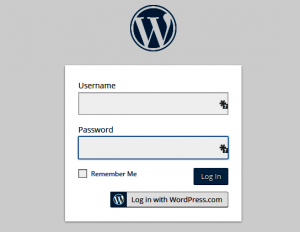 Custom WordPress login forms and redirect plugins add functionality on websites where visitors are creating user accounts, for example on membership, ecommerce, and directory sites. Here are is a list of useful plugins.
To customize the basic Wordprss login screen with a background and logo, I prefer a plugin that creates a form where the “Lost Password” and “Register” links are part of the form background (and not on a transparent background, as in the native WP background). I recommend the YITH Custom Login plugin.
To integrate the login form into a page on the website, I recommend the Profile Press plugin, which includes redirect options on the dashboard. The Profile Builder plugin is a good alternative if you wish to add a Profile update option on the website, but this plugin lacks redirect options in the free version (available in the premium version).
To mask the standard WordPress login URLs (i.e., to hide the fact that you are using a WordPress CMS), use the Custom Login URL plugin.
To customize and brand the Admin bar that appears at the top of the page at login, use the White Label CMS plugin.
To simply hide the Admin bar, use the Global Admin Bar Hide or Remove plugin.
To create login/logout buttoms in the native WP menu, use the BAW Login Logout Menu.
To redirect the user back to the page they were browsing before logging in, use the Sky Login Redirect plugin – I use this on all my sites for the convenience of admin logins as well (doesn’t work with Profile Press)
For other redirect functionality, use Peter’s Login Redirect plugin
These are the top login customization plugins in my book! I have used many of them frequently.


Leave a Reply
Want to join the discussion?Feel free to contribute!